Star Atlas is built around cooperation, creativity, and respect. If you come across a DAC (Decentralized Autonomous Corporation) that violates community guidelines, you can report it directly from the DAC Platform.
Step 1: Access the DAC Profile
Visit play.staratlas.com
Click the DAC logo in the bottom-left corner
Use the DAC explorer to search for and open the profile of the DAC you wish to report
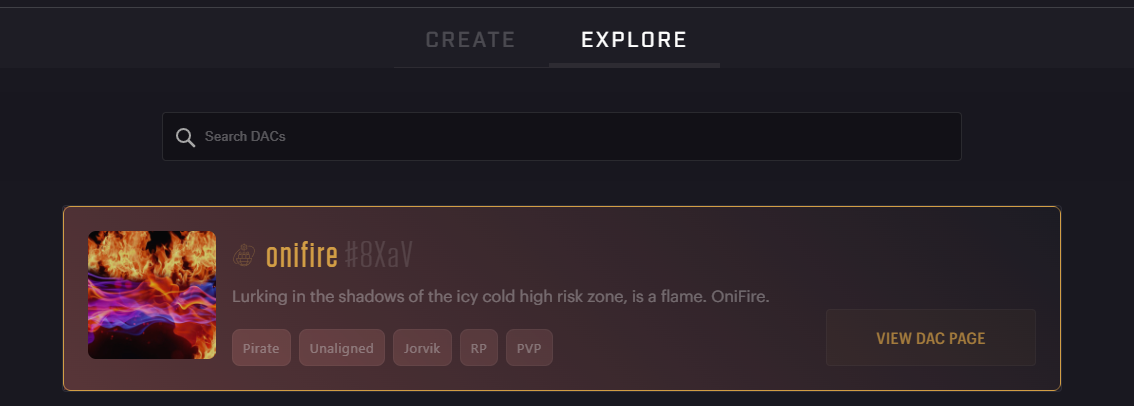
Step 2: Locate the "Report" Option
On the DAC’s profile page, look for the "Report DAC" button (usually found in the header or dropdown menu)
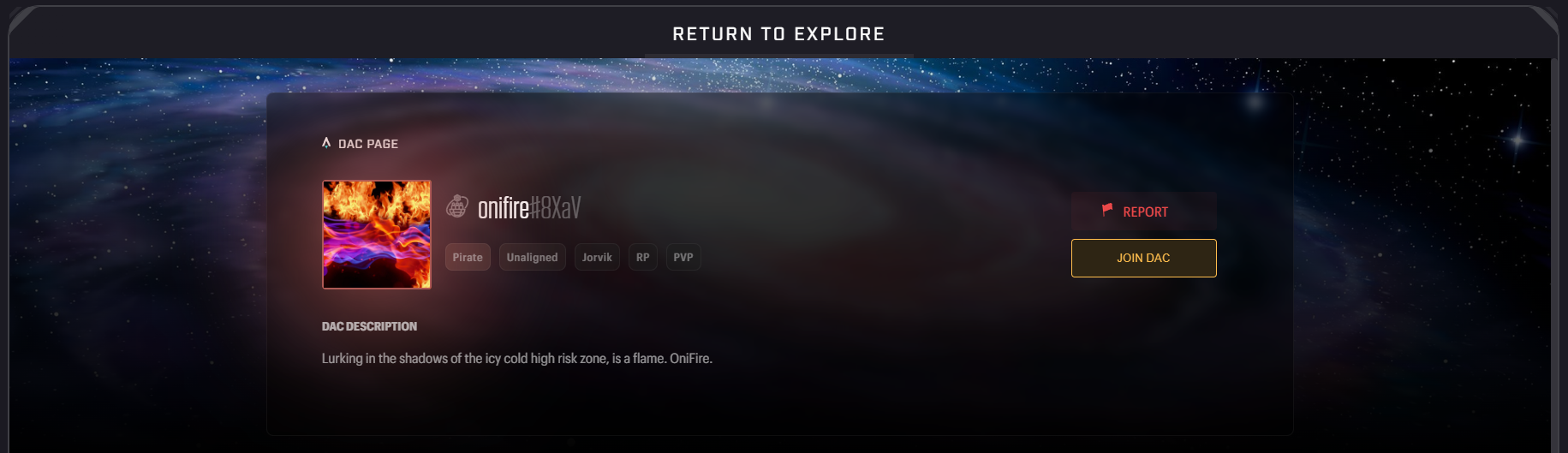
Step 3: Choose a Reason
You’ll be prompted to select one of the following reasons:
It's inappropriate – The DAC name, avatar, description, or tags include offensive or prohibited content
It's spam – The DAC is clearly misleading, fake, or promoting unrelated content
Something else – Other violations or abuse not covered above
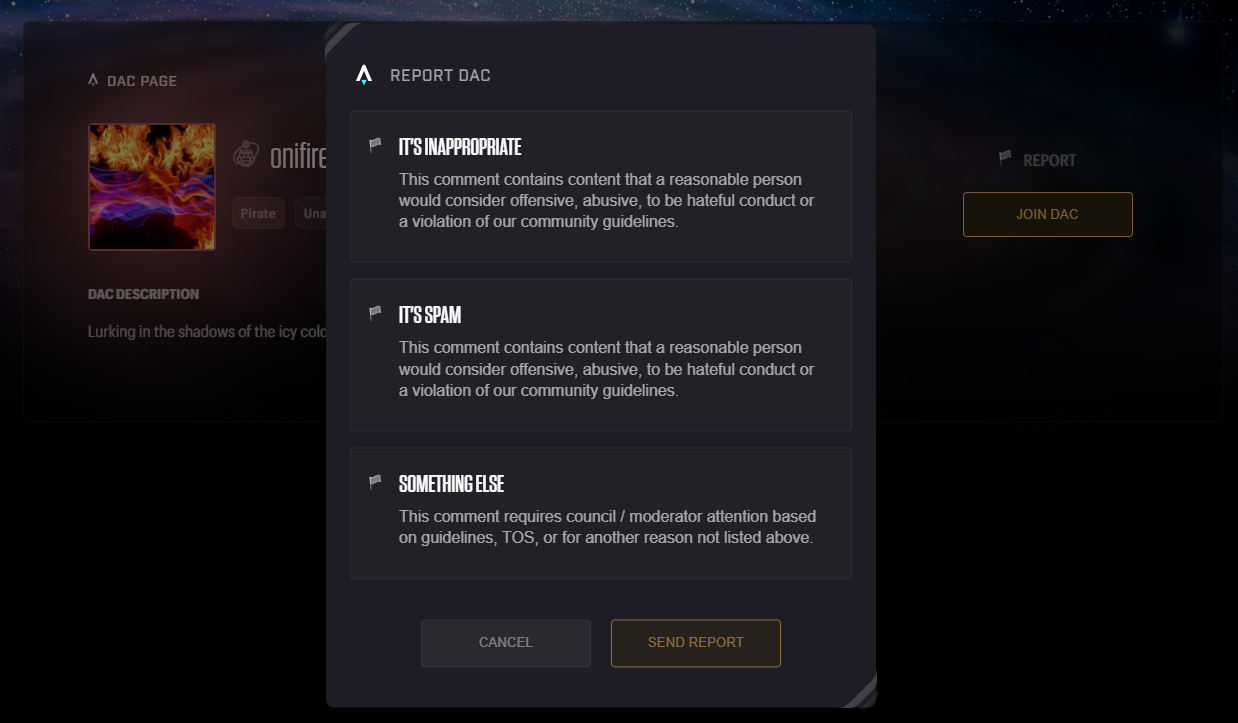
Step 4: Submit Your Report
After selecting the reason, click "Send Report"
Your report will be sent to the Star Atlas moderation team for review and action
🔎 Note: Reports should be submitted in good faith. Please only report DACs that clearly violate Star Atlas terms or community standards. False or abusive reports may result in moderation action.