Sometimes you’ll need to move crew from one starbase to another. This is done with fleets that have passenger slots available.
Steps to transport crew
Open the Hangar menu: click on the base, then select Hangar.
Select your fleet: click the fleet you’ll use for transport.
Go to the Passenger tab: here you’ll see available crew at the base.
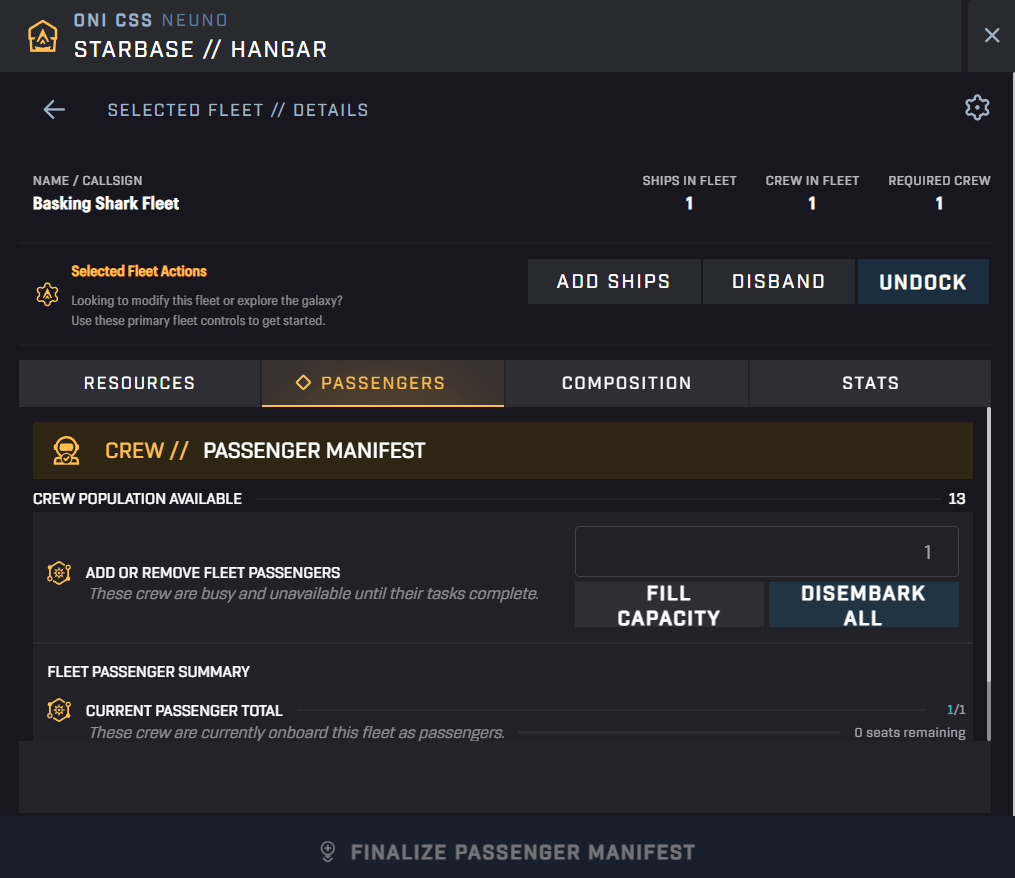
Load crew: click Fill capacity or manually choose how many crew members to embark.
Undock and travel: send your fleet to the destination starbase.
Dock at the new base: once arrived, open the Hangar again.
Disembark crew: move the crew from your fleet into the new base.
⚠️ Make sure to always leave the required crew in the fleet. Without them, the fleet won’t be able to continue operating.