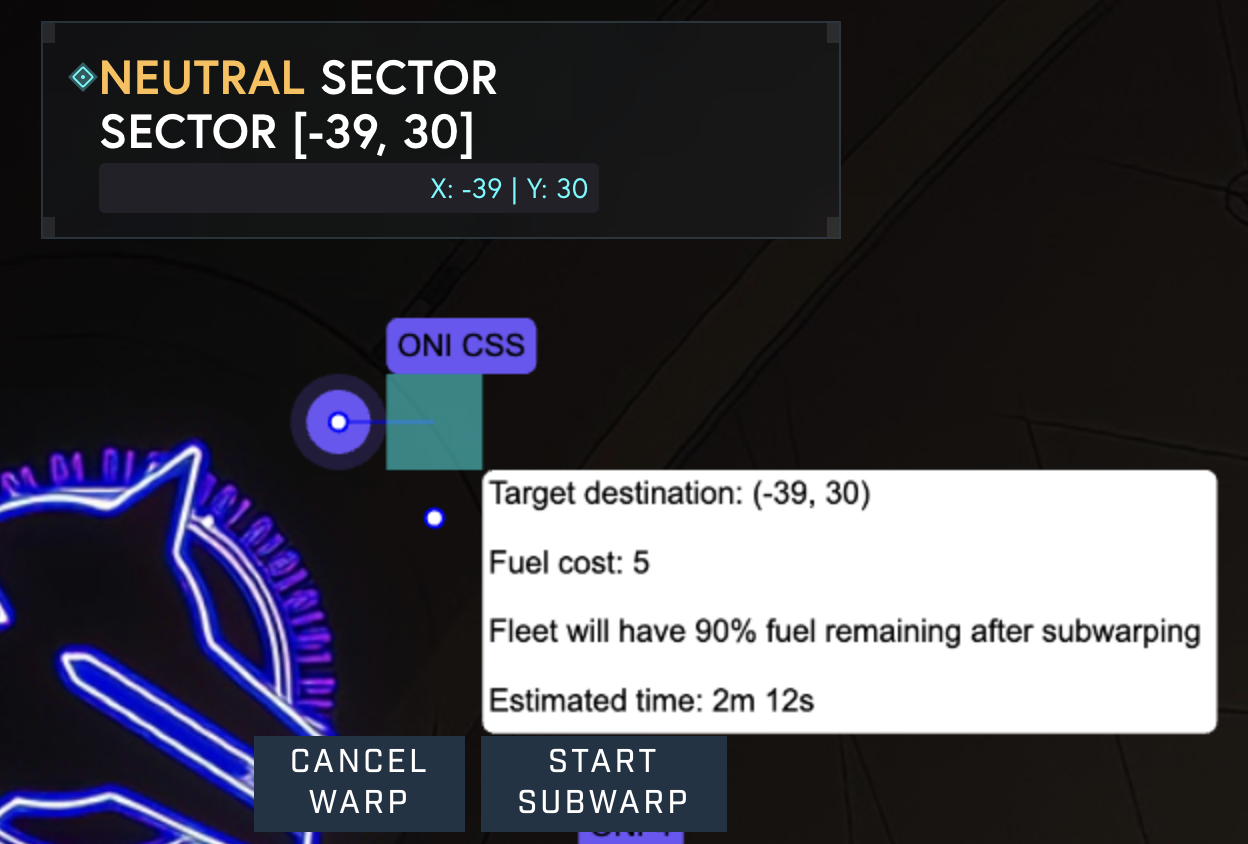
Moving your fleet across the Galia Expanse in Starbased requires using warp or subwarp travel. Here’s a straightforward guide:
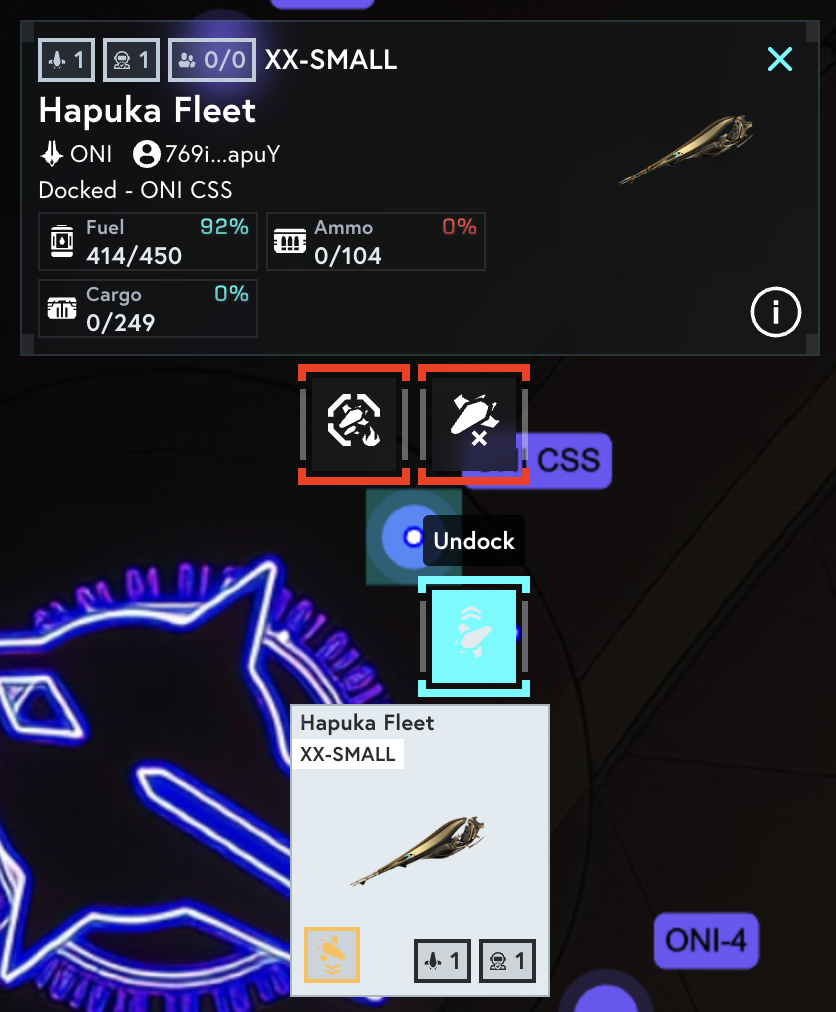
Undock Your Fleet
Go to your Starbase and find your fleet in the Fleet Overview.
Select your fleet and click “Undock.”
Approve the transaction in your wallet to launch your fleet into space.
Choose Warp or Subwarp
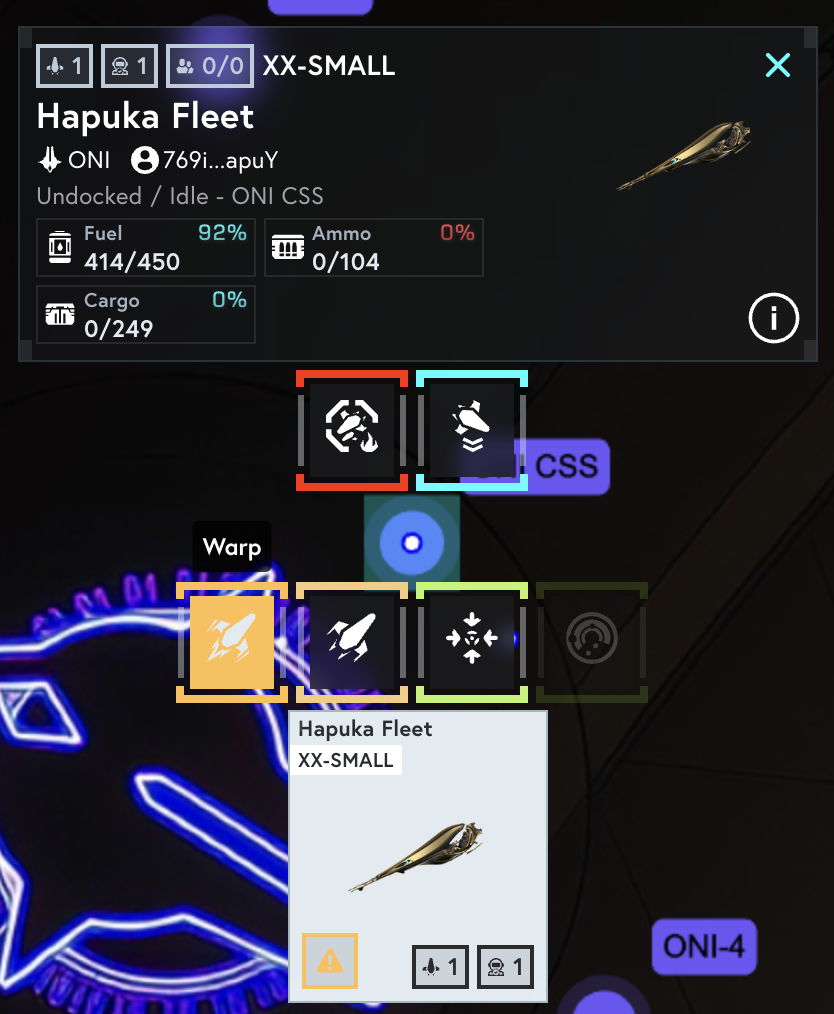
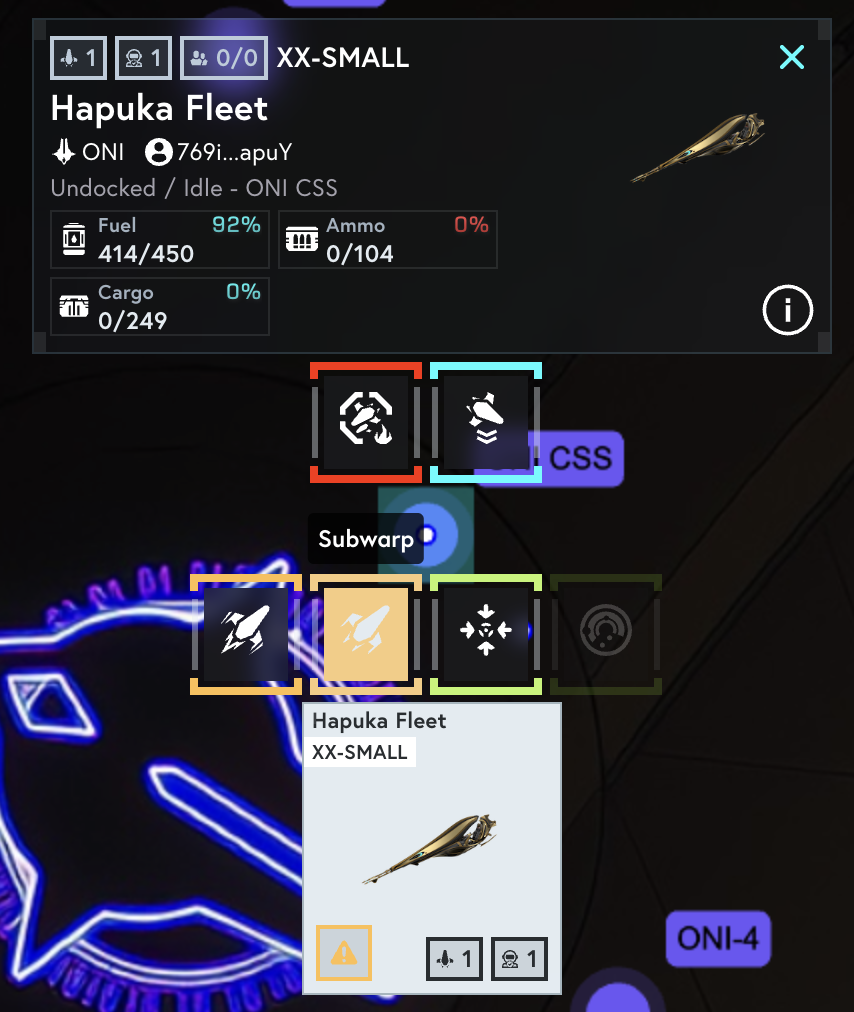
Click on your undocked fleet to view travel options:
Warp: Faster, higher resource consumption.
Subwarp: Slower, lower resource consumption.
Set Your Destination
Click on the sector you wish to travel to on the map.
Select “Start Warp” or “Start Subwarp.”
Approve the wallet transaction to begin your journey.