In SAGE, players have the opportunity to interact with Local Markets, enabling them to buy and sell items seamlessly within the game. This guide offers a comprehensive, step-by-step walkthrough for setting up both buy and sell orders.
Accessing the Local Market:
- Navigate to a Starbase: Travel to any starbase within the Galia Expanse. While Central Space Stations (CSS) such as ONI CSS, USTUR CSS, and MUD CSS provide access to the Galactic Marketplace, other starbases offer the Local Market option
Enter the Market: Once at the starbase, select the "Local Market" or "Galactic Market" option from the available menu
Creating a Buy or Sell Order:
Select the Item: Browse through the list of items or use the search bar to locate the specific item you wish to trade
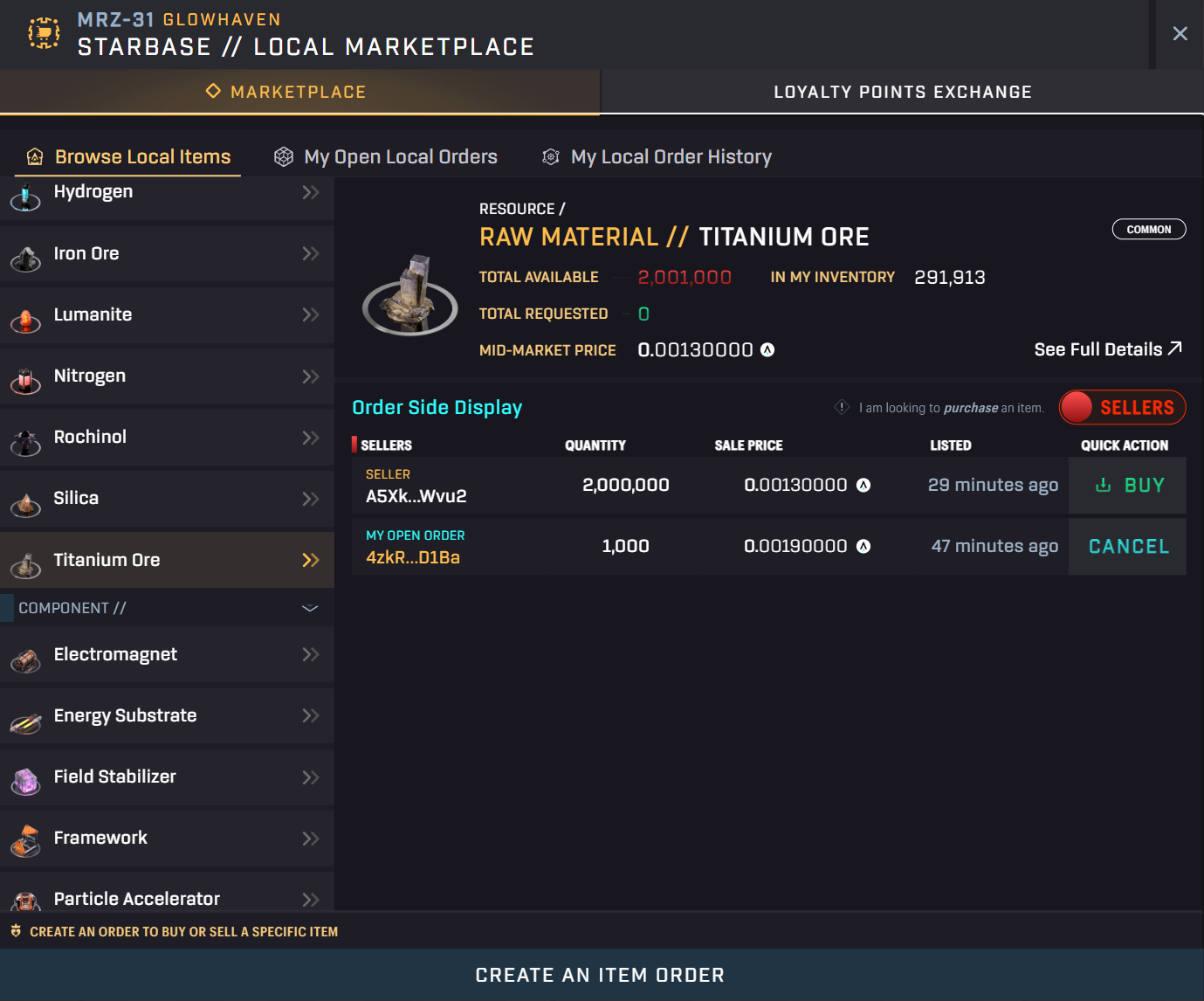
- Initiate the Order: Click on "Create an Item Order" to begin the process.
Choose Order Type: In the order creation window, select either "Buy this item" or "Sell this item," depending on your intent
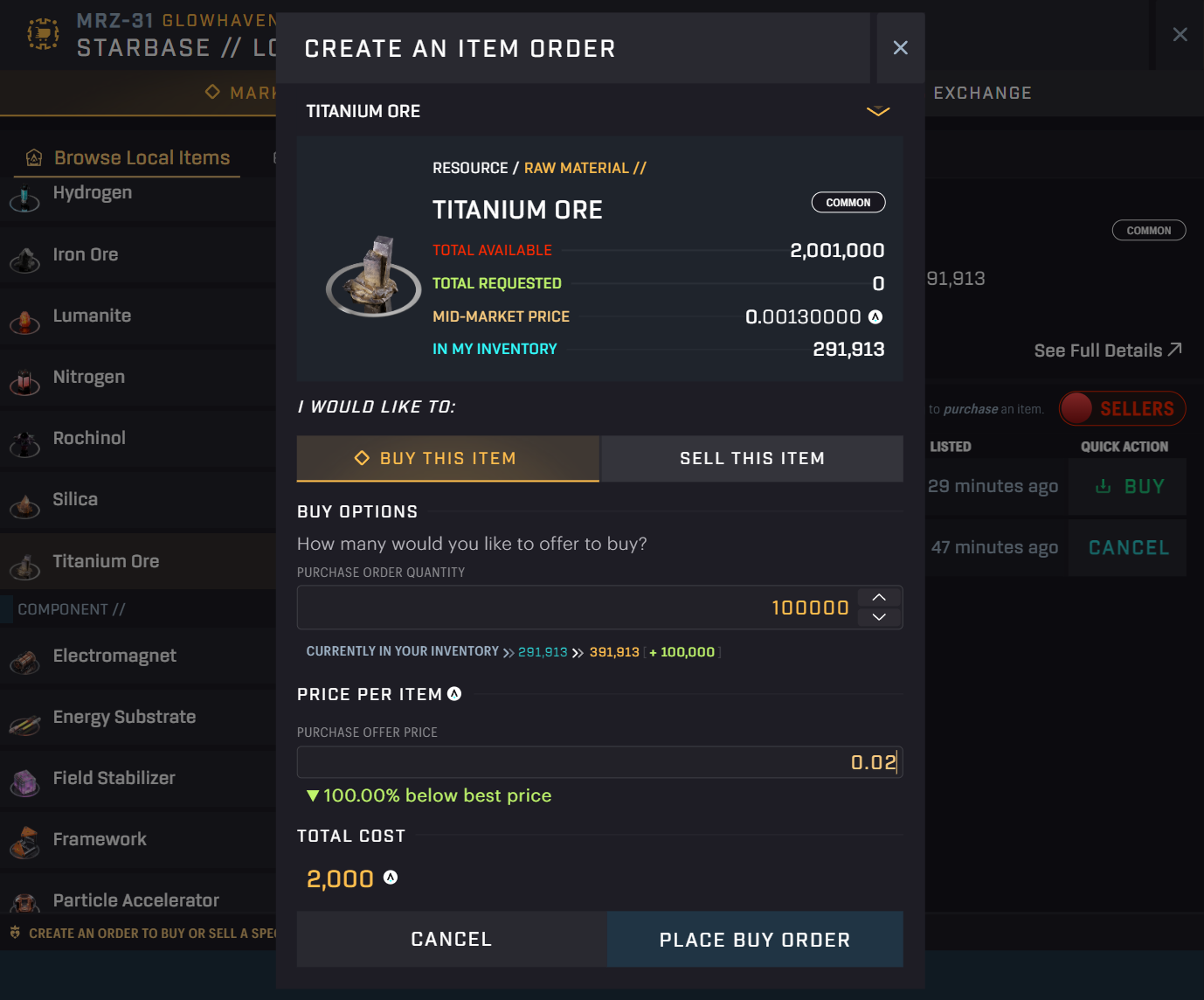
- Enter Details:
- Quantity: Specify the number of units you wish to buy or sell.
- Price: Set the price per unit for your order.
- Place the Order: Click on "Place Buy Order" or "Place Sell Order" to submit your order.
- Confirm Transaction: Approve the transaction through your connected wallet to finalize the order.
Managing Your Orders:
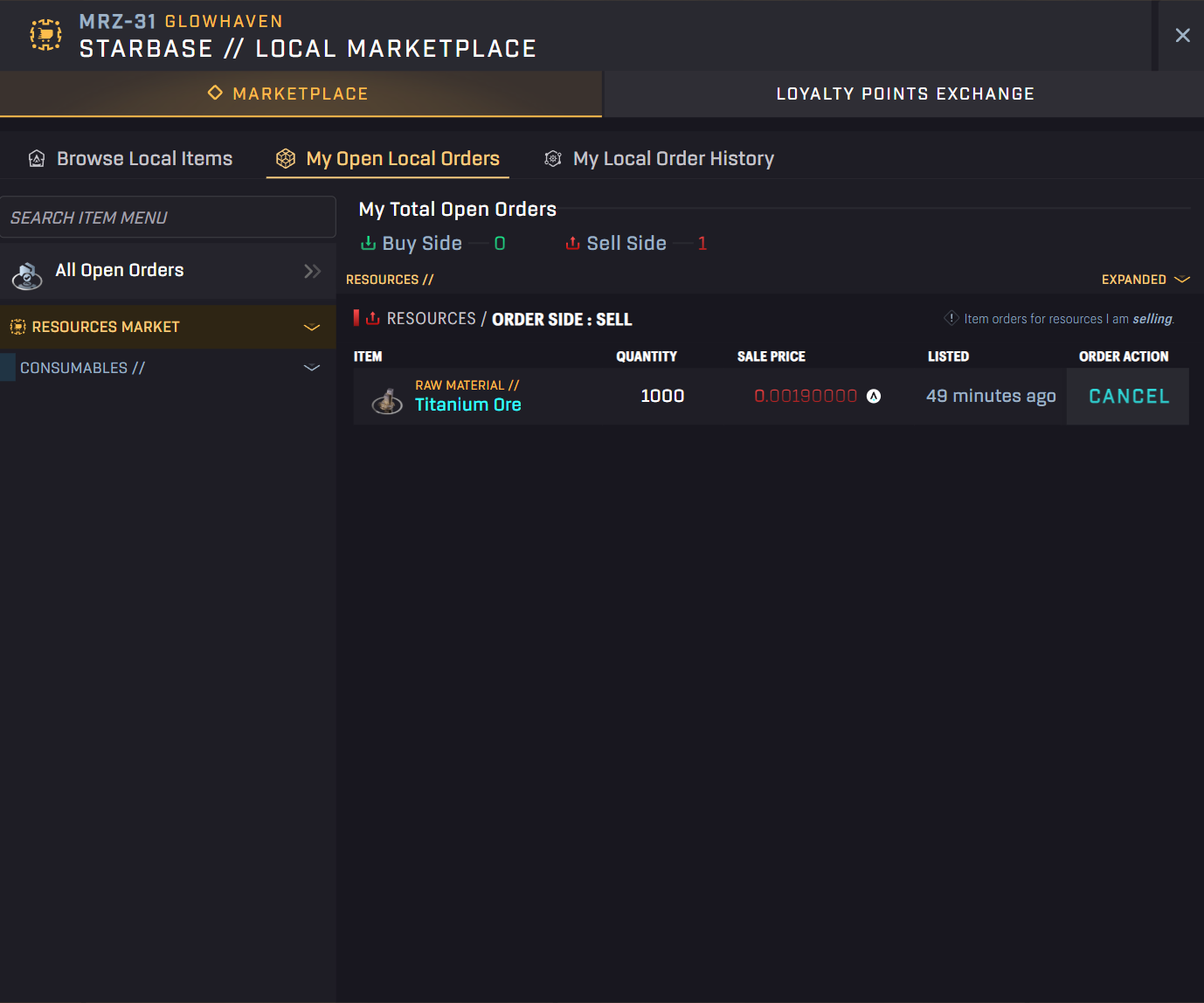
- View Active Orders: After placing an order, you can monitor its status in the "My Open Local Orders" section within the Local Market interface