In SAGE, you can engage in trading through two primary methods: creating new orders or fulfilling existing ones. This guide focuses on the latter, how to fulfill existing buy or sell orders in both the Local and Galactic Marketplaces
Accessing the Marketplaces:
-
Galactic Marketplace:
Accessible from Central Space Stations (CSS) such as ONI CSS, USTUR CSS, and MUD CSS.
Navigate to the Galactic Marketplace via the station's menu.
-
Local Market:
Available at starbases within the Galia Expanse.
Select the Local Market option from the starbase's menu.
Fulfilling an Order:
-
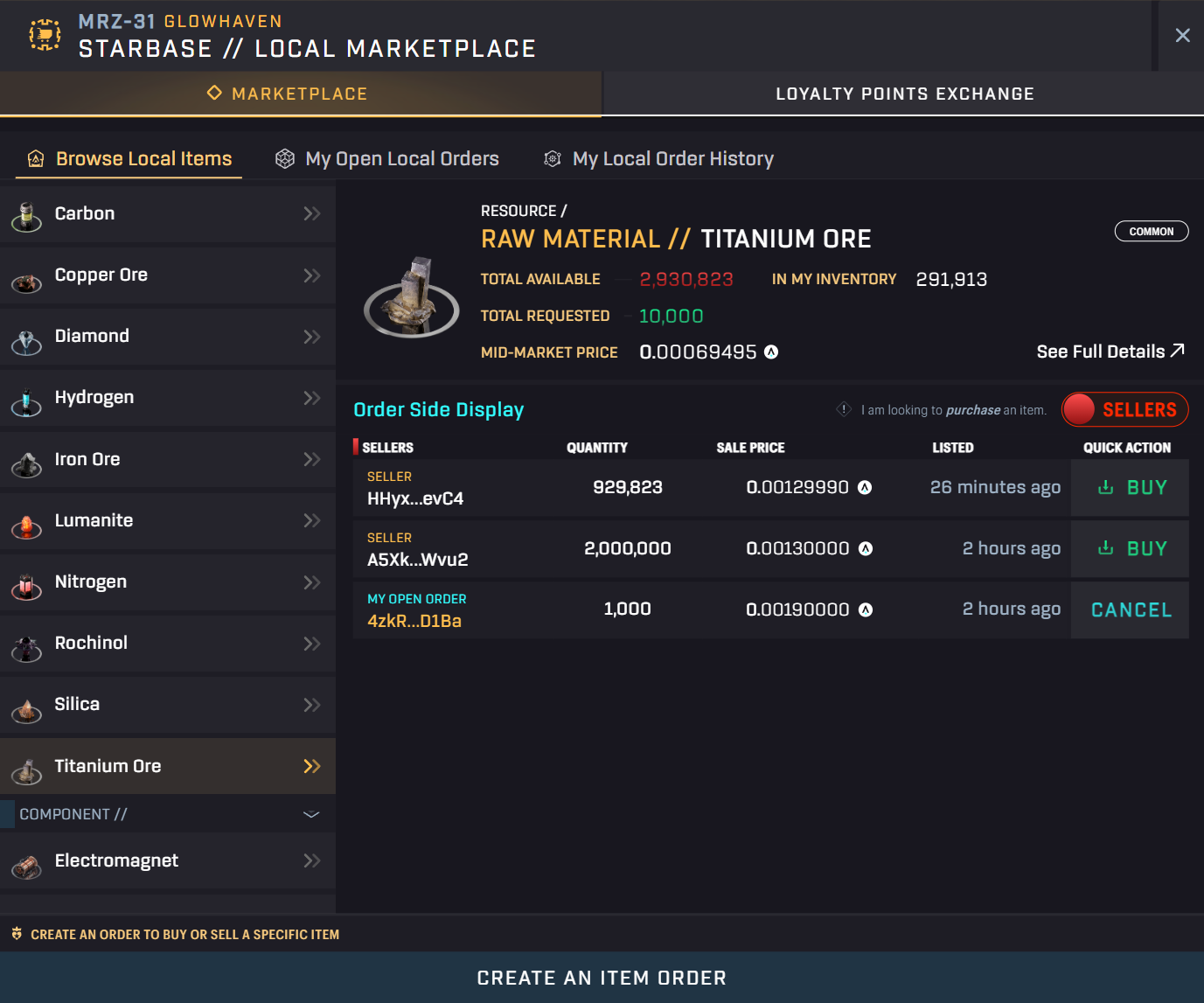
Select the Item:
Browse or search for the item you wish to trade.
-
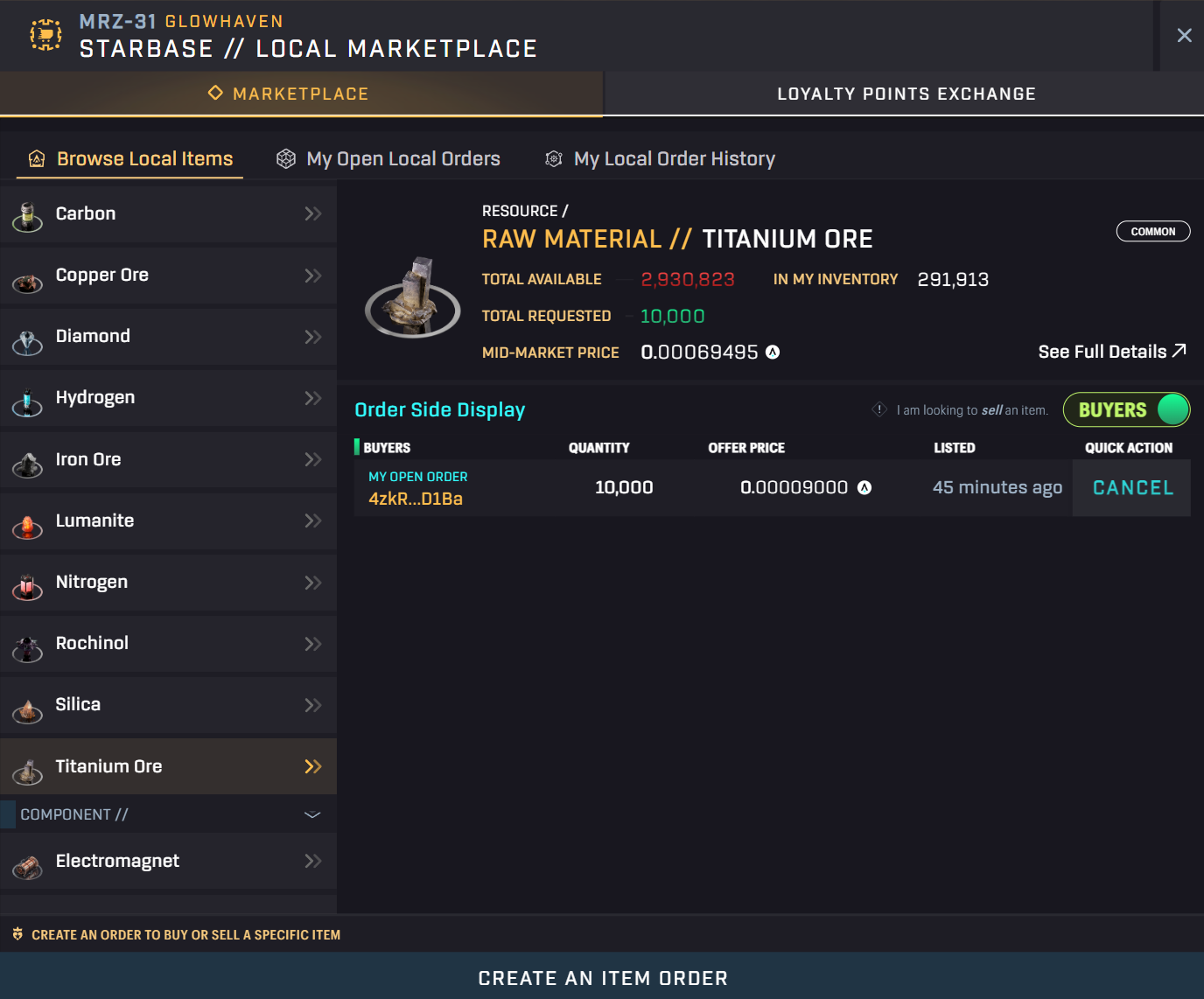
Toggle Between Buy and Sell Orders:
On the right side of the marketplace interface, you'll find a button labeled "Seller" or "Buyer".
Click this button to switch between viewing active sell orders (if you're buying) and buy orders (if you're selling).
-
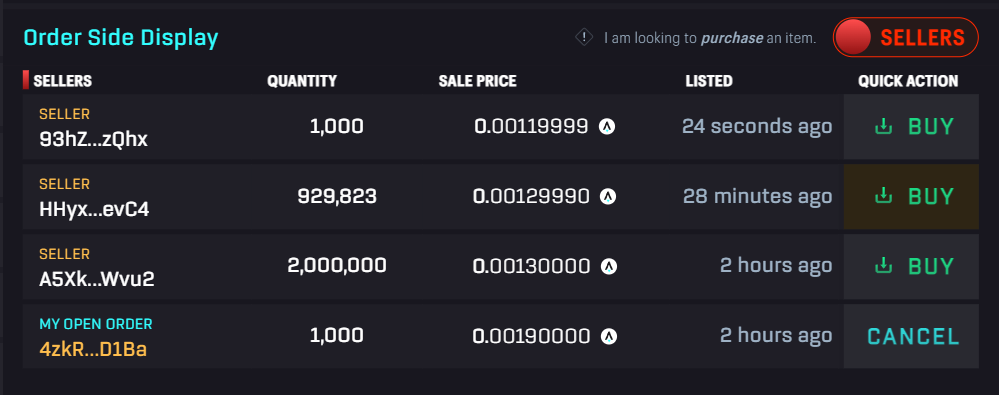
Choose an Order to Fulfill:
Review the list of available orders, noting the quantity and price per unit.
Select the order that best matches your trading criteria.
-
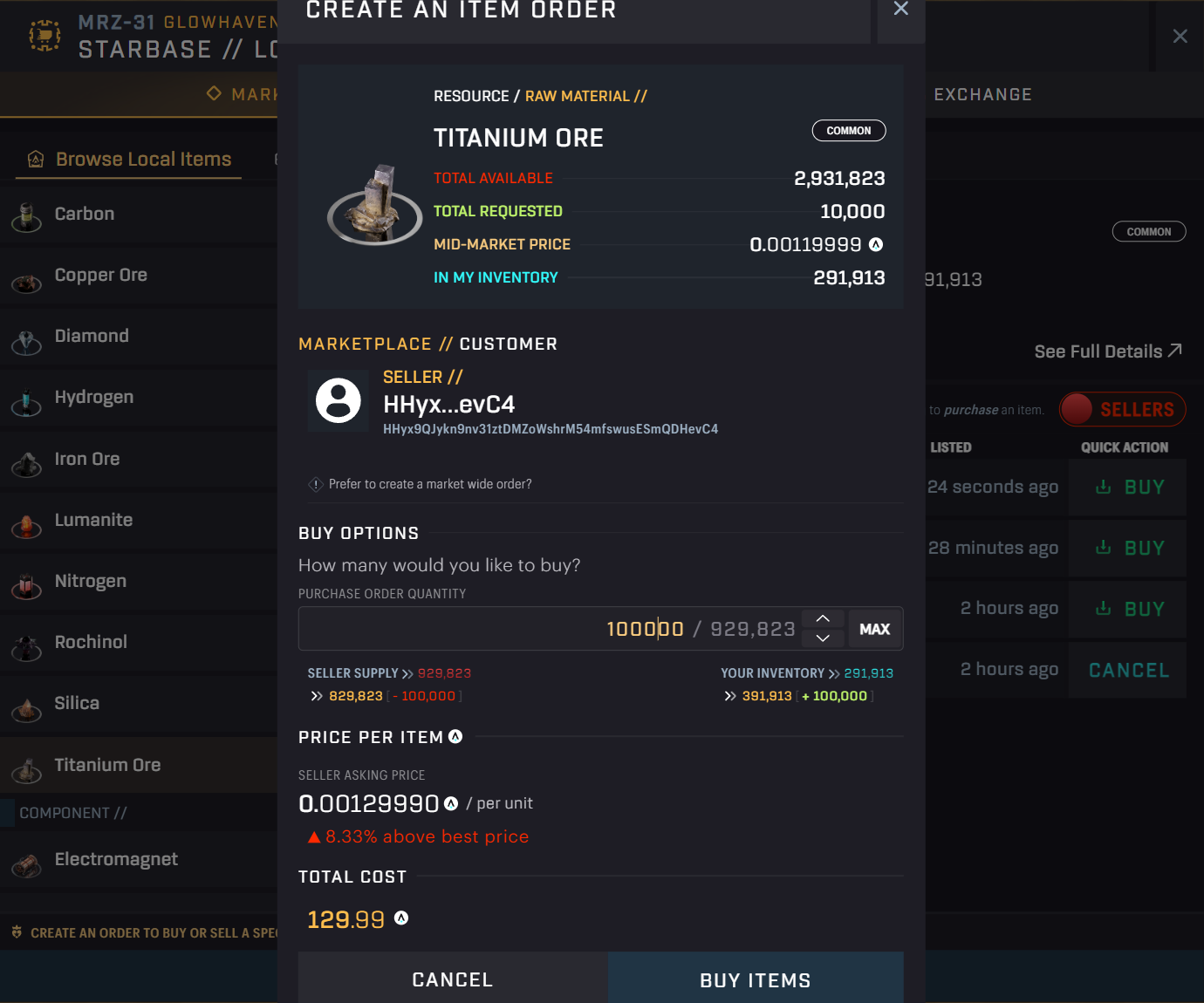
Execute the Transaction:
Click the "Buy" or "Sell" button associated with the chosen order.
Specify the quantity you wish to transact.
Confirm the transaction and approve it through your connected wallet.
Important Considerations:
- Orders in the Galactic Marketplace are accessible across all CSS and in https://play.staratlas.com/
- Orders in the Local Market are specific to the starbase where they were created